Authentication
You want to interact with our API? It's simple, but one step is essential: authentication. For this, our API requires the use of an API key.
By default, API key generation is not enabled and won't be visible in the IrrigEasy user interface. If you wish to use our API, please contact us directly. Our team will assist you in activating this feature for your account.
Why is an API Key Necessary?
An API key is a unique string of characters that identifies you and validates your access to the API. Think of it as your personal digital key. Without this key, all your API requests will be rejected for security reasons.
It ensures that only authorized applications and users can access our services, protecting the integrity of our data and the security of our platform.
Generating Your API Key
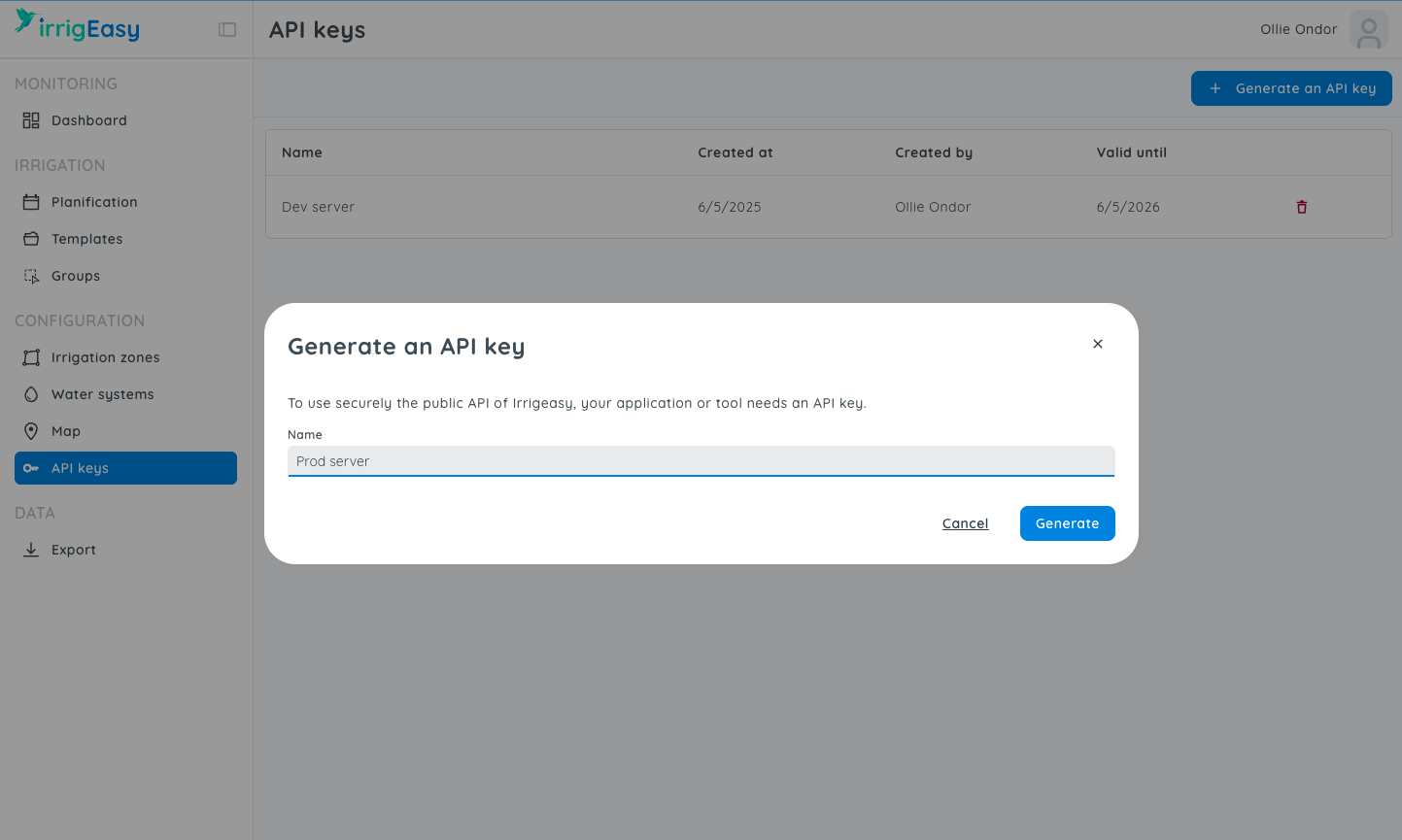
- Log in to your IrrigEasy account.
- Navigate to the "API Keys" section (the exact name may vary slightly).
- Look for an option labeled "Generate New API key" or similar.
- Give it a name and click the "Generate" button. Your new API key will be displayed only once.
- Copy this key immediately and store it securely. For security reasons, it won't be shown again.
How to Use Your API Key
Your API Key must be included in the header of every HTTP request you send to the API, typically in the format Authorization: Api-Key <your_key>.
Managing Your API Keys
It's crucial to manage your API keys effectively to maintain secure and uninterrupted access to IrrigEasy. Please note that API keys are valid for one year from their generation date.
To ensure continuous API access, remember to renew your keys annually. You can generate new keys through the IrrigEasy interface before your current ones expire. This simple step helps keep your integrations secure and operational.
Rate Limiting
To protect the platform and ensure fair usage, IrrigEasy enforces rate limiting on a per-API-key basis:
- Maximum: 5 requests per second per API key.
If you exceed this limit, the API will reject additional requests for the moment with HTTP 429 Too Many Requests.
What you should do
- Implement a retry strategy with backoff when you receive
429. - The API provides a
Retry-Afterresponse header, respect it and wait that amount of time before retrying. - Avoid sending bursts of requests that can exceed the 5 requests/second threshold.
Response headers you may see
The API include one or more of the following headers in responses:
X-RateLimit-Limit: The maximum number of requests allowed during the current rate limit window.X-RateLimit-Remaining: How many requests you can still make before hitting the limit.X-RateLimit-Reset: When the current rate limit window resets.Retry-After: How long to wait before retrying a request that was rejected (commonly used alongside429).
Example retry logic (pseudo-code):
// retry up to N times with backoff when a 429 is returned
if (response.status === 429) {
  const waitMs = response.headers["Retry-After"]
    ? Number(response.headers["Retry-After"]) * 1000 // to milliseconds
    : 1000; // fallback
  await sleep(waitMs);
  // retry the request
}